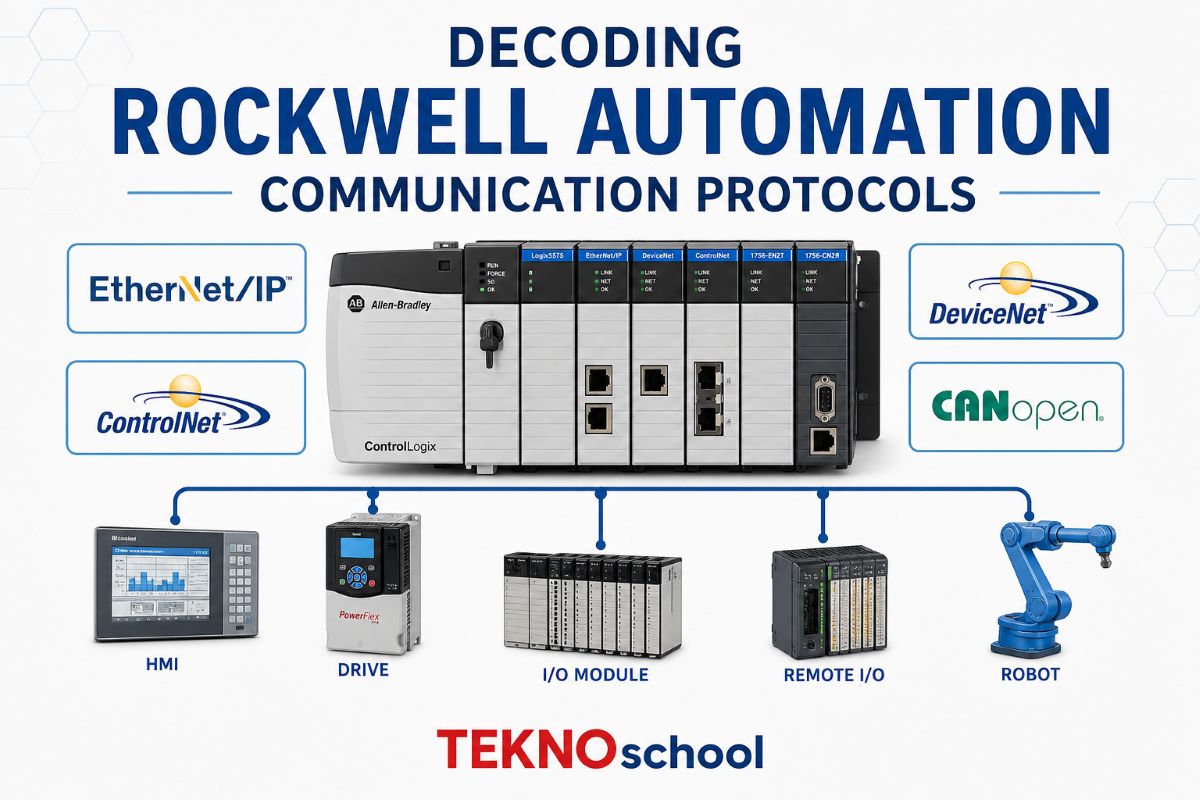
Decoding Rockwell Automation Communication Protocols
🏭 Decoding Rockwell Automation Communication Protocols: Industrial Guide 🌐
From the rugged, trusty serial cables of the 1980s to the high-speed Ethernet backbones of today, understanding these communication protocols is absolutely critical for any controls engineer, technician, or system integrator. In this deep-dive blog post, we are going to unpack the most essential Rockwell communication protocols. We will explore how they work, where they are used, and how to master them on the plant floor.
Welcome to the digital nervous system of the modern factory! If you spend your days working with Rockwell Automation and Allen-Bradley programmable logic controllers (PLCs), you already know that getting machines to “talk” to each other is half the battle. Industrial networking is a fascinating journey that spans decades of technological evolution.
🔌 1. RS232: The Foundation of Serial Communication
Before we dive into the complex network layers, we must start with the physical layer. RS232 is one of the oldest, most ubiquitous physical communication standards in the world. Originally designed for connecting teletypewriters to modems, it became the standard programming port for legacy Allen-Bradley controllers like the SLC 500 and MicroLogix families.
● Point-to-Point Limitation: RS232 is strictly a point-to-point standard. You can only connect one master device (like your laptop or an HMI) directly to one slave device (the PLC).
● Distance Constraints: It is inherently unbalanced and susceptible to electrical noise, meaning cable lengths are typically limited to about 50 feet (15 meters) before signal degradation occurs.
● Wiring: The most common setup is the simple 3-wire connection: Transmit (Tx), Receive (Rx), and Ground (GND).
While RS232 defines the hardware (the voltages and pins), the PLCs need a language to speak over those wires. In the Rockwell world, that language is DF1.
📡 2. DF1 Full Duplex Master & DF1 Half Duplex Slave
DF1 is Allen-Bradley’s proprietary serial data link protocol. It is the language that rides over physical layers like RS232, RS422, and RS485. Depending on your network topology, you will use one of two main flavors:
DF1 Full Duplex Master (DG1/DF1) 🟢
This is the standard protocol for point-to-point connections. “Full Duplex” means data can travel in both directions simultaneously—the PLC can send data to the HMI at the same time the HMI sends commands to the PLC.
● Handshaking: It relies on an ACK/NAK (Acknowledge / Negative Acknowledge) mechanism. If a packet is received cleanly, an ACK is sent. If there’s corruption, an NAK is sent, and the packet is retransmitted.
● Error Checking: It uses either BCC (Block Check Character) or the more robust CRC (Cyclic Redundancy Check) to ensure data integrity.
DF1 Half Duplex Slave 🔴
When you need to connect multiple PLCs together over a single serial network (like a radio telemetry system or an RS485 multi-drop line), you cannot use Full Duplex. Instead, you use DF1 Half Duplex.
● Master/Slave Polling: In this setup, one device is appointed the “Master” and all others are “Slaves” (nodes 1 through 254).
● Traffic Control: Slaves cannot speak unless spoken to. The Master systematically polls each slave, asking “Do you have data?” or saying “Here is your data.” This prevents data collisions on the network.
🔄 3. DH485 and DH+ (Data Highway Plus)
Moving away from Master/Slave architecture, we enter the realm of Peer-to-Peer networking.
DH485 (Data Highway 485) 🟡
DH485 uses an RS485 2 wire physical layer, allowing for multi-drop networks up to 4,000 feet long. Unlike DF1 Half Duplex, DH485 uses a Token Passing system.
● How it Works: A digital “token” is passed continuously from node to node. A device can only transmit data when it holds the token.
● Use Case: It was incredibly popular for networking SLC 500s and PanelView HMIs, supporting up to 32 nodes on a single daisy-chained network.
DH+ (Data Highway Plus) 🔵
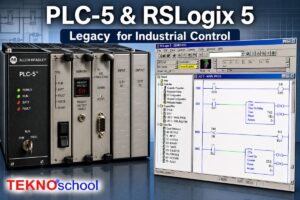
Often considered the bigger, faster, more robust brother to DH485, DH+ is an absolute legend in the Rockwell ecosystem. Found predominantly on o PLC-5s and SLC 5/04s, it runs on standard twinaxial cable (affectionately known in the industry as “Blue Hose”).
● Performance: It supports speeds up to 230.4 kbps and can handle up to 64 nodes (addressed in Octal, meaning nodes 00-77). signal Tri‑state Manchester encoded
● Resilience: Terminated with 150-ohm or 82-ohm resistors, DH+ networks are famously durable, surviving decades in harsh, electrically noisy industrial environments.
🚗 4. DeviceNet with DN1 Card
As manufacturing evolved, there was a massive push to bring intelligence down to the sensor and actuator level. Enter DeviceNet. Managed by ODVA and built on the robust CAN (Controller Area Network) bus technology, DeviceNet revolutionized machine wiring.
To connect an Allen-Bradley PLC to a DeviceNet network, you typically use a scanner module, such as a DN1 Card (like the 1769-SDN for CompactLogix).
● Trunk and Drop Topology: DeviceNet uses a thick trunk cable traversing the machine, with thinner drop cables teeing off to individual devices (VFDs, photoeyes, motor starters).
● Power and Data: The magic of DeviceNet is that it carries both 24V DC power and network data on the very same 5-wire cable.
● Nodes and Speed: It supports up to 64 nodes (MAC IDs 0-63) and runs at speeds of 125, 250, or 500 kbps depending on network length.
🌐 5. Ethernet with ENI Card
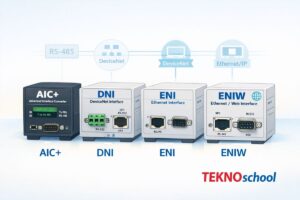
Eventually, the industrial world realized that standard IT Ethernet was the future. However, there were millions of legacy serial PLCs already installed in the field. Rockwell’s ingenious solution for this transition was the 1761-NET-ENI Card.
The ENI (Ethernet Network Interface) is a bridge module.
● Bridging the Gap: It connects to the RS232 port of a legacy controller (like a MicroLogix 1000 or 1500) and translates that serial DF1 data into modern EtherNet/IP (CIP over TCP/IP).
● Modern Connectivity: This allowed older controllers to suddenly communicate with modern ControlLogix PACs, SCADA systems, and plant-wide databases over standard CAT5 RJ45 cables.
● Advanced Features: The ENI card even introduced email capabilities, allowing legacy PLCs to send SMTP email alerts when an alarm is triggered!
⚙️ 6. Modbus & Modbus RTU (Master/Slave)
Finally, we must talk about the universal translator of the industrial world: Modbus. While Modbus is officially owned by Schneider Electric, it is an open protocol. Because it is so simple and universally adopted, Rockwell systems frequently need to speak Modbus to communicate with third-party devices like variable frequency drives, temperature controllers, and power meters.
Modbus RTU (Remote Terminal Unit) is the serial version of this protocol, usually transmitted over an RS485 multi-drop network.
● Master/Slave Architecture: Just like DF1 Half Duplex, Modbus RTU relies on a strict Master/Slave architecture. The Rockwell PLC (acting as the Master) sends a request to a specific Slave address.
● Register Mapping: Data is read and written using standard Function Codes (e.g., Code 03 to Read Holding Registers, Code 06 to Write a Single Register) and is mapped to 16-bit memory blocks (the famous 4xxxx register addresses).
● Implementation: In the Rockwell world, Modbus is often implemented either through native channel configurations (on modern Micro800 or MicroLogix controllers) or via third-party gateway modules (like ProSoft Technology cards) for the ControlLogix platform.
🌍 7. Modbus TCP/IP: The Universal Ethernet Bridge
While Modbus RTU is the undisputed king of serial communication, its modern successor, Modbus TCP/IP, brings that same universal connectivity into the high-speed Ethernet age. It is essentially the classic, trusted Modbus instruction set packed cleanly inside a standard TCP/IP network wrapper.
If you are dealing with modern third-party equipment, this protocol is an absolute must-know.
● Client/Server Architecture: In the Ethernet world of Modbus TCP, we drop the legacy “Master/Slave” terminology. The device requesting data (like your PLC) is the Client, and the device providing the data (like a smart power meter) is the Server.
● The Magic Port 502: Unlike serial connections that require you to perfectly match baud rates, parity bits, and stop bits, Modbus TCP operates over standard CAT5/CAT6 cables using standard IT network switches. It almost universally communicates over TCP Port 502.
🏆 Conclusion: Connecting the Past to the Future
From the simple, point-to-point handshakes of RS232 and DF1 Full Duplex Master, to the token-passing resilience of DH485 and DH+, to the device-level revolution of DeviceNet with DN1 cards, every protocol solved a specific problem for its time.
Today, while Ethernet reigns supreme, bridging legacy systems using tools like the Ethernet ENI Card or integrating third-party networks using Modbus RTU Master/Slave polling remains a daily requirement for automation professionals. The machines of tomorrow will still rely on the foundations built by these incredible protocols.